 Tori
 Vault-ZIP
Simple, so you never get lost.
From everyday files to office work, it has you covered.
Forget the password; Vault-ZIP won't. More than encrypted ZIP files: it keeps every password in a ledger, encrypts PDFs, tells what a file really is, and has a command-line tool for automation. Written in Rust for the AI era, and it never connects anywhere on its own and shows no ads.
Anytime, anywhere, the same way. The same screens and the same steps on Windows, Linux and Android. macOS and iOS are coming soon.
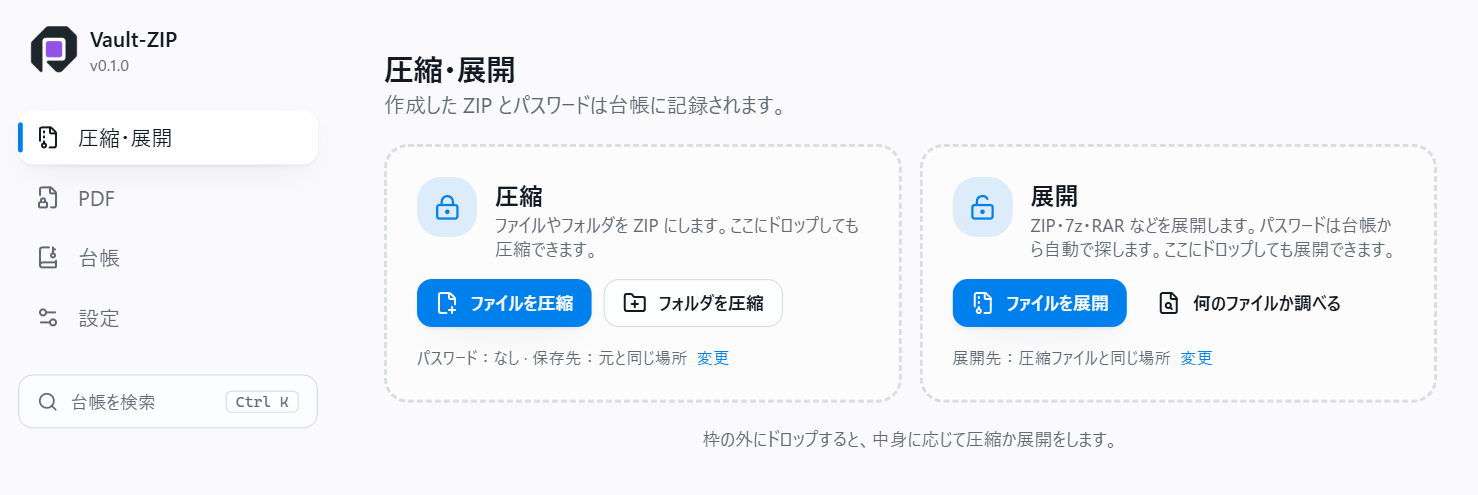
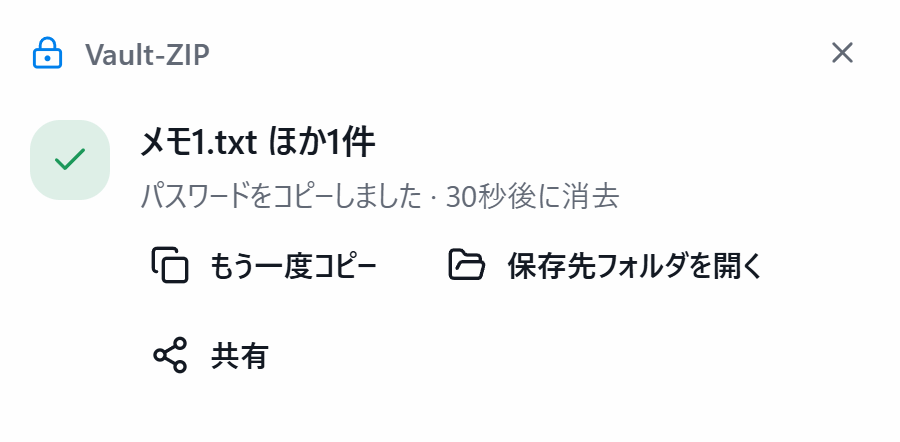
- SimpleOne right-click to compress. Every password goes into the ledger automatically, so it works without setting anything up, and your own ZIP files open without typing.
- SecureAES-256 encryption, and the ledger itself is encrypted. Each new ZIP is read back to make sure every file comes out as it went in. Written in Rust.
- No connection on its ownNo automatic update check, no usage reports. Measured: zero outside connections.
- No adsNo advertising, and nothing that tracks you.
Built with care → · How it compares →
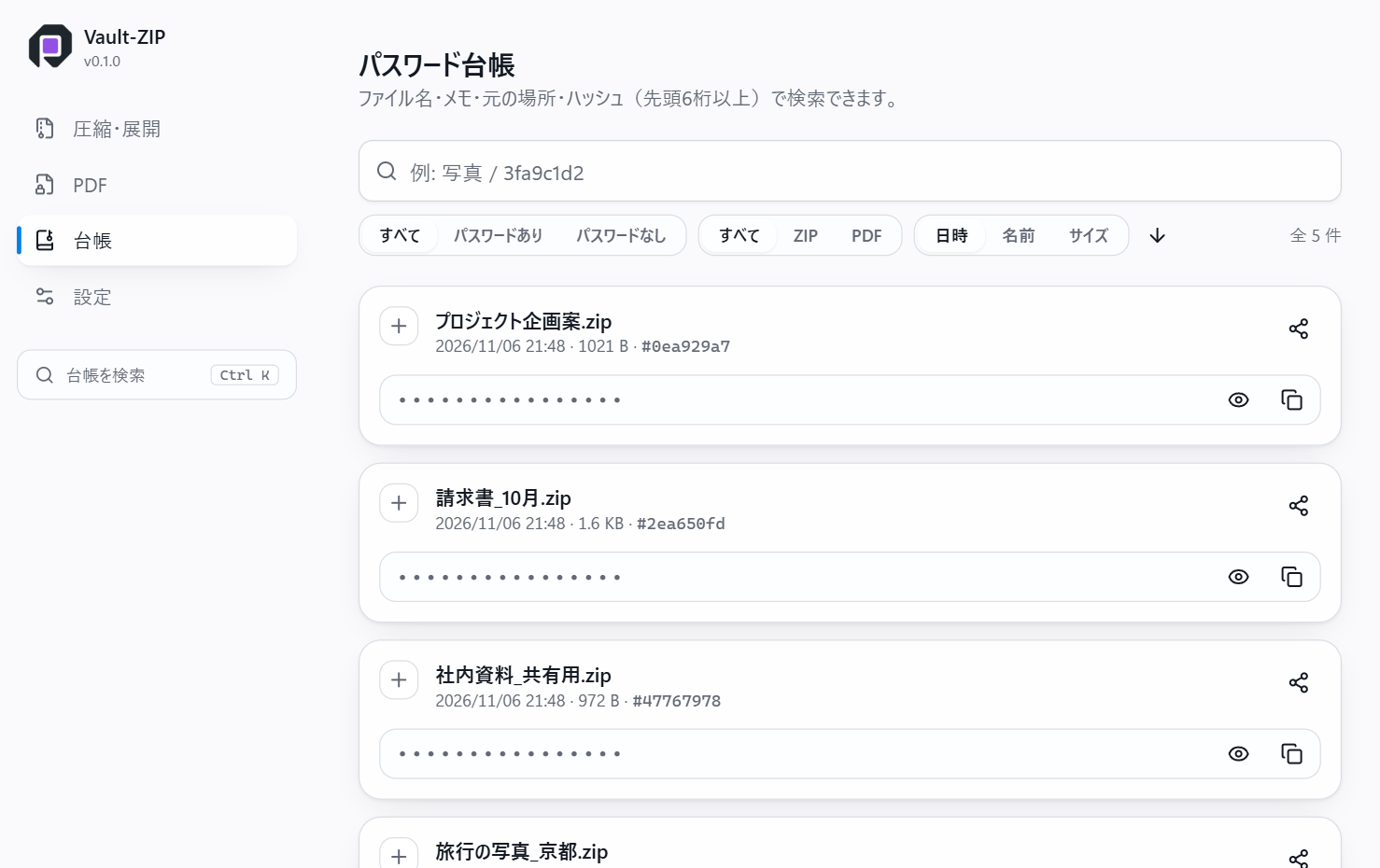
A password on a ZIP is easy to lose. Vault-ZIP records the password of every ZIP it makes in a ledger. The ledger stays on your PC and is stored encrypted. ZIP files made by Vault-ZIP open with the ledger's password, without typing it.
| Latest version | 0.1.0 (November 8, 2026, build 4) |
|---|---|
| Systems | Windows 10 or later (64-bit, x64) Linux (64-bit, x64; Debian, Ubuntu, Linux Mint and the like) Android (Google Play) |
| Price | Free for individuals (work use included) and schools. Organisations (companies, government, incorporated non-profits): 1,000 yen per PC (licence) |
| Language | Japanese (English is planned) |
Download Get it on Google Play
The current 0.1.0 is a test version. You may run into all kinds of problems (details on the download page).
How Vault-ZIP works
- No connection you did not ask forNo automatic update check, no usage reporting, no account, no licence server. The background traffic of the window component (WebView2) is switched off too: in our measurement, nothing left the PC in the first 100 seconds after start.
- Nothing overwritten, nothing deletedA name already taken gets " (2)". Originals go to the Recycle Bin only when you choose it for that job, and only after the new ZIP has been checked.
- The same folder on every systemOld Japanese Shift_JIS names, macOS names and extra files, and names Windows cannot hold are made consistent when extracting.
- Checked before it is doneThe new ZIP is read back to make sure every file comes out as it went in.
Full features and specs, tested compatibility and performance →
Features
- Encrypted ZIP filesAES-256 (WinZip AES). They open in any tool that supports it, such as 7-Zip and Windows 11 File Explorer.
- A password ledgerEach ZIP's password is kept with its date, file name and a note, encrypted, on your PC.
- Checked after writingThe finished ZIP is read back in full before it counts as done (can be turned off).
- Many formats to extractZIP, 7z, RAR, tar, gz, bz2, xz, zst, CAB and MSI, recognised by content.
- PDF passwordsAdds an AES-256 password to a PDF and records it in the ledger.
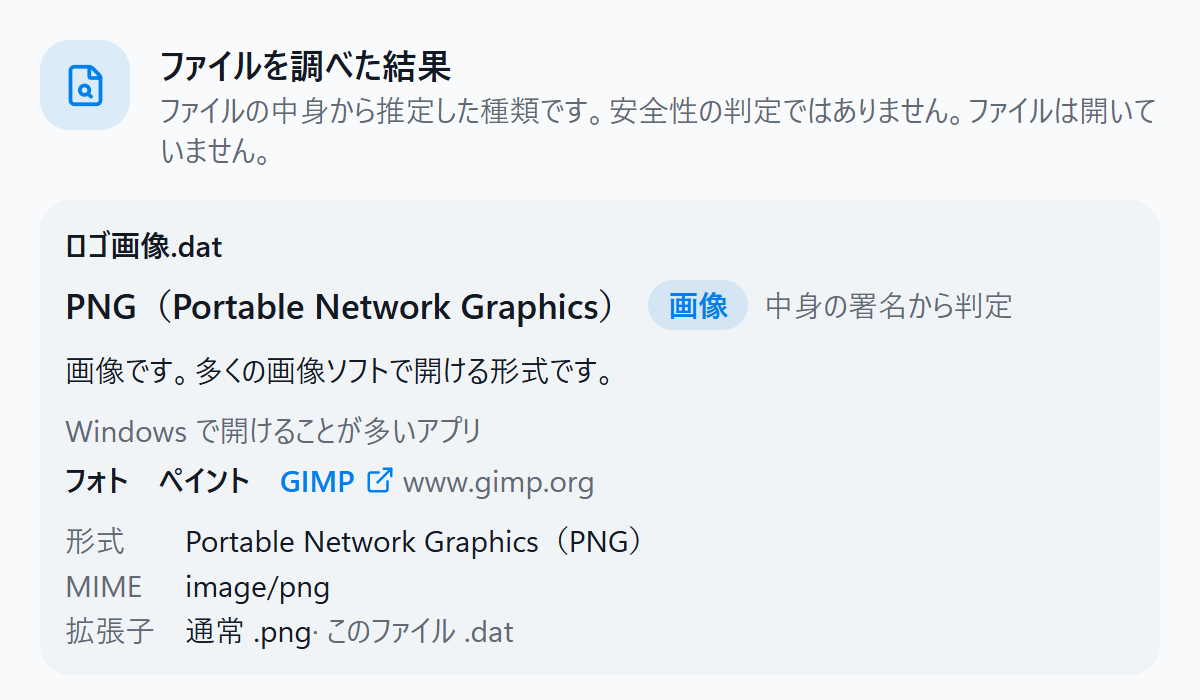
- What is this file?Tells a file's type from its content, not its extension, and which apps usually open it. The file is not opened.
- See what is insideLists the contents of a ZIP, 7z or RAR without extracting.
- Right-click menuCompress, extract and identify from File Explorer, including the Windows 11 menu.
- Recovery key and backupsWrite the ledger, encrypted, to another place for a new PC or a lost key.
- Command lineA command-line tool for RPA such as Power Automate for desktop. Passwords go through standard input.
- Portable versionRuns from a folder without installing.
- Safe extractionStops entries that would write outside the folder, symbolic links and archives that grow huge when extracted. Names Windows cannot use and invisible characters that disguise an extension are replaced and reported.
- Passwords kept off screen capturesAn option keeps a window showing a password out of screen sharing and screenshots. Copied passwords stay out of the clipboard history and are cleared after a while.
- Management for organisationsRules such as "no ZIP without a password" can be deployed through Group Policy or Intune (licence required).
A development journal on note
On note (in Japanese) we write about how the software comes together: how it was designed, where it got stuck, how it was tested and why things were decided, including what did not work.
If you'd like to support me
Vault-ZIP is free for individuals. If you enjoy it, I would be very happy if you supported my work.
Screenshots
Please note
- If the ledger's key, the recovery key and every backup are lost, nobody can open the ledger, including us. Make a recovery key or a backup.
- If you forget a ZIP's password and it is not in the ledger, nobody can get the contents back, including us.
- Vault-ZIP never sends your files, passwords or ledger anywhere without your action (privacy).